
Blog
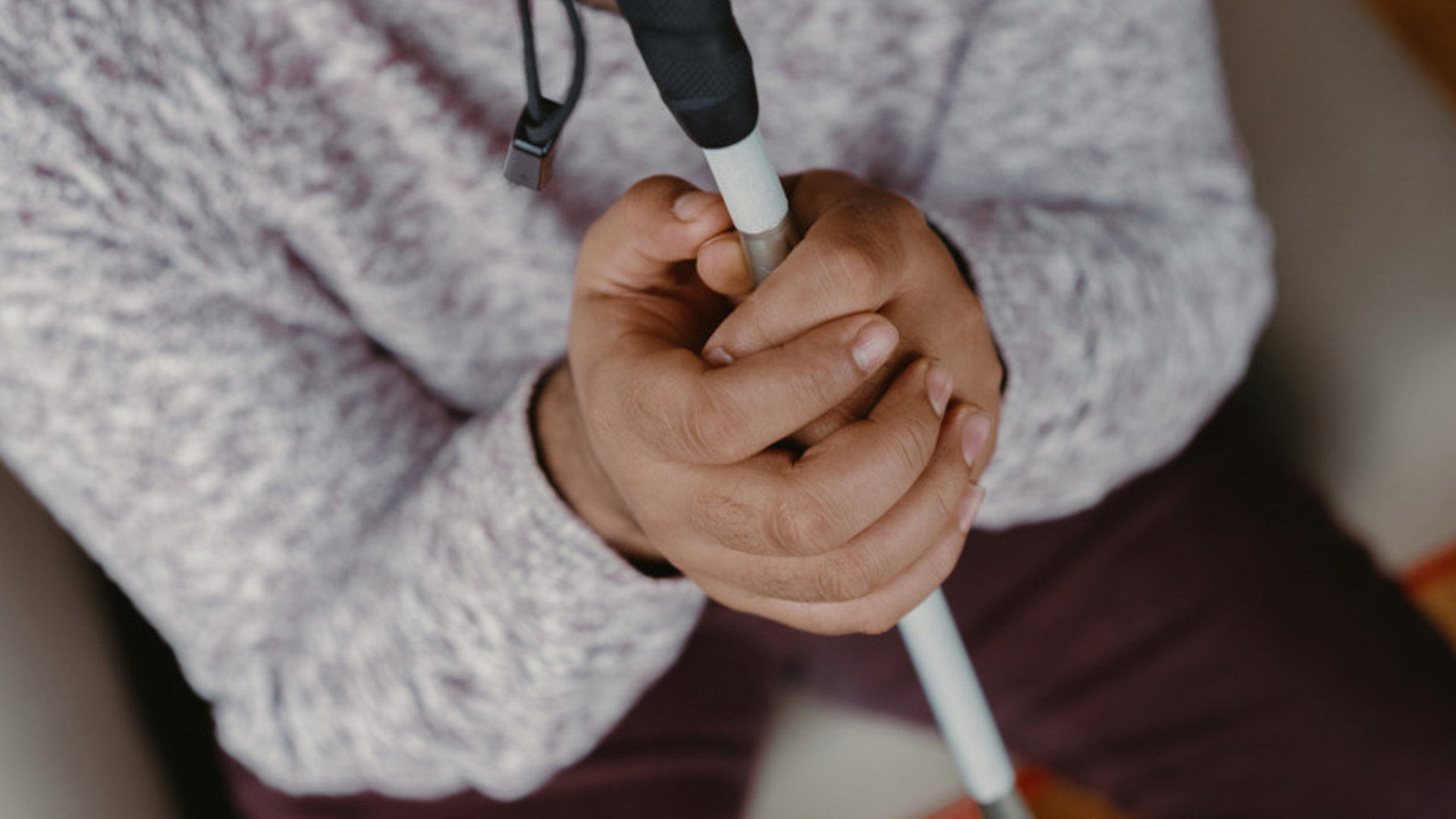
October is White Cane Awareness Month, a time to recognize the role white canes play in helping people who are blind or visually impaired travel safely and independently. It is also an opportunity to raise awareness about white cane safety, encourage respect for pedestrians with vision loss, and highlight the importance of accessible communities. At Lighthouse for the Blind of the Palm Beaches, Treasure Coast & Okeechobee, independence is central to our mission. Through education, rehabilitation, and orientation and mobility training, we help people of all ages develop practical skills for navigating their surroundings and participating in everyday life. What Is a White Cane? A white cane is an important mobility tool used by many people who are blind or visually impaired. It helps users identify obstacles, detect changes in walking surfaces, locate curbs and steps, and navigate unfamiliar environments. The cane also serves as a visual signal to others that the person using it may have limited or no vision. This awareness is especially important in public spaces, parking lots, and busy intersections, where pedestrians must navigate moving vehicles and other potential hazards. For many people, learning to use a white cane is an important step toward greater independence. It can make it easier to travel to work, attend school, visit friends, run errands, and take part in community activities. Why White Cane Safety Matters Safe travel depends on awareness from everyone sharing public spaces. Drivers, cyclists, pedestrians, and other community members all have a role in helping people who are blind or visually impaired navigate safely. Here are a few ways to promote white cane safety throughout October and beyond: 1. Give pedestrians space and time. People using white canes may need additional time to cross streets, locate curb ramps, or navigate crowded areas. Be patient and avoid rushing them. 2. Stop for pedestrians at crosswalks. Drivers should obey traffic signals, yield as required by law, and remain alert for pedestrians using white canes. Never assume a pedestrian has seen an approaching vehicle. 3. Keep sidewalks and walkways clear. Bicycles, scooters, trash bins, signs, landscaping, and other objects can create unexpected barriers. Keeping pathways accessible helps people with vision loss travel more safely. 4. Avoid distracting or startling someone who is traveling. If you want to offer assistance, introduce yourself and ask whether help is needed. Do not grab a person or their cane without permission. Respecting someone's choices helps preserve their independence and dignity. 5. Learn about white cane awareness. Sharing accurate information with family, friends, coworkers, and students can help build a community where people with vision loss are treated with consideration and respect. White Cane Training Builds Everyday Skills Using a white cane involves more than holding a mobility tool. People can receive orientation and mobility training to learn how to travel safely, recognize environmental cues, follow routes, and navigate different settings. Training may include learning to identify intersections, use landmarks, detect changes in elevation, navigate public spaces, and plan routes to familiar destinations. The skills taught depend on each person's needs, age, experience, and goals. For children and teens, mobility training can support participation in school and community activities. Adults experiencing vision loss may benefit from learning new travel techniques and adjusting familiar routines. With appropriate instruction and practice, people can develop strategies that support greater confidence and independence. How Lighthouse Supports People With Vision Loss Lighthouse for the Blind of the Palm Beaches, Treasure Coast & Okeechobee has served people who are blind or visually impaired since 1946. Our programs support individuals from infancy through adulthood across Palm Beach, Martin, St. Lucie, Indian River, and Okeechobee counties. Through orientation and mobility instruction, assistive technology training, education, and other rehabilitation services, Lighthouse helps individuals build skills for daily living and community participation. Every person's needs are different. Our work focuses on providing instruction, resources, and support that help people pursue their goals, whether that means navigating a school campus, traveling to work, completing everyday tasks, or becoming more comfortable moving through the community. White Cane Awareness Month provides an opportunity to recognize these skills and the people who use them every day. Help Make Our Community More Accessible Promoting white cane safety does not require a special event or a major commitment. Small actions can make a difference, from keeping sidewalks clear to giving pedestrians time to cross and learning how to offer assistance respectfully. October is also a reminder that accessibility benefits the entire community. When public spaces are safer and more welcoming, more people can participate in education, employment, recreation, and community life. At Lighthouse, we believe vision loss should not prevent someone from pursuing their goals or participating in the world around them. By increasing awareness of white cane safety and supporting access to mobility training, we can help build communities where independence is respected and accessibility is a shared responsibility. Learn more about Lighthouse's programs and services for people who are blind or visually impaired at LHPB.org or call (561) 586-5600 .

Home is where many everyday activities happen, from preparing meals and getting dressed to managing medications and relaxing with family. For someone who is blind or visually impaired, changes in vision can make familiar spaces feel more difficult to navigate. The good news is that accessibility does not always require major renovations. Small changes to organization, lighting, labeling, and technology can make everyday tasks easier and help create a home environment that supports greater confidence and independence. Here are five ways to make a home more accessible for someone living with vision loss. 1. Keep Frequently Used Items in Consistent Places Knowing where everyday items are located can make a big difference. When objects are consistently returned to the same location, it becomes easier to find them without relying on vision. Consider organizing frequently used items in predictable places, such as: Keeping keys in the same container near the entrance Storing kitchen utensils in designated drawers Keeping medications in an organized, consistent location Arranging clothing in a predictable order Returning cleaning supplies to the same storage area after use Reducing clutter is also important. Clear pathways can make it easier to move safely throughout the home and reduce the chance of tripping over misplaced objects. 2. Improve Lighting and Reduce Glare Lighting needs can vary from person to person, particularly for individuals with low vision. Adequate lighting can make certain tasks easier, while excessive glare can make it more difficult to see. Task lighting can be particularly helpful in areas where detailed activities take place. A well-positioned lamp near a reading chair, kitchen counter, desk, or workspace can provide additional illumination where it is needed. It can also help to pay attention to glare from windows, reflective surfaces, and bright lights. Adjusting window coverings or repositioning lights may make certain areas more comfortable to use. 3. Use Contrast to Make Important Items Easier to See Color and contrast can help people with low vision distinguish objects and surfaces. For example, a light-colored plate may be easier to see against a dark placemat, while brightly colored tape can help identify the edge of a step or the location of an important switch. Contrast can be used throughout the home: Use contrasting colors between furniture and floors Add high-contrast markings to frequently used controls Choose dishes that contrast with countertops or tables Mark stair edges when appropriate Use contrasting labels on commonly used containers The most effective choices depend on the individual's vision and preferences. 4. Add Tactile and Audio Labels Labels can make it easier to identify items that look similar. For people who are blind or have limited vision, tactile or audio labeling can provide another way to distinguish products and belongings. Raised markings, tactile dots, Braille labels, and audio labels can be useful for identifying things such as: Appliances and controls Medication containers Food and household products Clothing Storage bins Important switches The best labeling system is one that is easy for the individual to understand and use consistently. 5. Make Use of Accessible Technology Technology can provide additional ways to access information and complete tasks around the home. Smartphones and other devices may offer features such as screen readers, magnification, voice commands, and accessibility settings. Specialized assistive technology can also help with tasks such as reading printed information, identifying objects, and accessing digital content. Technology can be especially useful when combined with good organization and other accessibility strategies. The right tools depend on a person's vision, abilities, preferences, and daily needs. Accessibility Starts With Individual Needs There is no single approach that works for everyone with vision loss. Some people may benefit from improved lighting or high-contrast materials, while others may rely more heavily on tactile labels, assistive technology, or organizational strategies. Vision rehabilitation can help individuals identify challenges in their daily routines and learn techniques for completing tasks in ways that work for them. At Lighthouse for the Blind of the Palm Beaches, Treasure Coast & Okeechobee , training and resources support people who are blind or visually impaired at different stages of life. Daily living skills, assistive technology, and other rehabilitation services can provide practical strategies for navigating home, work, and community life. With the right tools, training, and environment, a home can become a place that supports greater independence and confidence.

Vision loss can affect many parts of daily life, from preparing a meal to using technology or getting around the community. But with the right training, techniques, and tools, people who are blind or visually impaired can build the skills they need to approach everyday tasks with greater confidence and independence. At Lighthouse for the Blind of the Palm Beaches, Treasure Coast & Okeechobee , training focuses on practical skills that can help individuals navigate daily routines, work toward their goals, and participate more fully in their communities. Here are five everyday skills that can make a meaningful difference. 1. Cooking and Meal Preparation Preparing meals involves many steps, including measuring ingredients, using appliances, organizing a workspace, and safely handling hot or sharp objects. Vision loss may require adapting familiar routines, but it does not mean giving up the ability to prepare meals independently. Training can introduce techniques for identifying ingredients, organizing kitchen items, measuring accurately, and safely using common appliances. Simple organizational strategies can also make it easier to find what you need when you need it. With practice, meal preparation can become a more manageable and familiar part of the daily routine. 2. Organizing and Managing Household Tasks Everyday household responsibilities often depend on being able to locate, identify, and organize items. Clothing, medications, cleaning supplies, personal care products, and other household items may require different approaches after vision loss. Consistent organization can make these tasks easier. Items can be arranged in predictable locations, while tactile or audio labeling systems can help with identification. Learning alternative techniques for folding clothes, cleaning, sorting belongings, and completing other household tasks can also support greater independence. The goal is not necessarily to do things exactly as before, but to find practical methods that work. 3. Using Technology Technology plays an important role in communication, education, employment, entertainment, and everyday life. Computers and smartphones can provide access to information and services, but people with vision loss may need accessibility features or specialized technology. Screen readers, magnification tools, accessible apps, Braille devices, and other assistive technologies can provide different ways to interact with digital devices. Learning how to use these tools can help individuals communicate with others, manage information, access online resources, and complete tasks at home or at work. 4. Traveling Safely and Confidently Getting from one place to another is an important part of independence. Vision rehabilitation can teach techniques that help people who are blind or visually impaired travel safely in their homes, neighborhoods, and communities. Orientation and mobility training may include learning how to use a white cane, navigate different environments, identify landmarks, cross streets, and use public transportation. These skills can give individuals more options for getting where they need to go while reducing reliance on others for everyday travel. 5. Developing Workplace Skills For many adults, independence includes being able to pursue education, employment, and career goals. Vision loss does not eliminate the need for workplace skills, but some tasks may need to be approached differently. Vocational rehabilitation can help individuals develop strategies for completing job-related tasks, using accessible technology, navigating the workplace, and preparing for employment. Learning these skills can also help individuals identify accommodations and tools that allow them to contribute effectively in professional settings. Skills Can Create More Options Adjusting to vision loss can involve learning new ways to approach familiar activities. Daily living skills, technology training, mobility techniques, and vocational rehabilitation can provide practical tools for handling those changes. Most importantly, independence does not look the same for everyone. The right training is about identifying individual goals and finding techniques that help each person participate in the activities that matter to them. At Lighthouse for the Blind of the Palm Beaches, Treasure Coast & Okeechobee , services are designed to support individuals who are blind or visually impaired from childhood through adulthood. Through skills training, rehabilitation, and assistive technology, Lighthouse helps people build the practical skills they can use at home, at work, and throughout their communities.

Accessibility is often discussed in terms of removing barriers for people with disabilities. While that is an essential part of creating an inclusive community, accessibility benefits far more people than many realize. Accessible design can make schools easier to navigate, websites simpler to use, public spaces more welcoming, and everyday activities more convenient for people of all ages and abilities. From parents pushing strollers to older adults navigating a new environment, thoughtful accessibility can make life easier for everyone. For the Lighthouse for the Blind of the Palm Beaches, Treasure Coast & Okeechobee, accessibility is an important part of building communities where people who are blind or visually impaired can participate fully and independently. But the benefits extend well beyond the individuals who directly rely on accessible features. What Does Accessibility Mean? Accessibility means designing environments, services, technology, and experiences so they can be used by people with a wide range of abilities. For someone who is blind or visually impaired, accessibility might include: Braille signage Accessible websites and mobile applications Screen-reader-compatible technology Audio descriptions Tactile maps Clear pathways and pedestrian signals Large-print materials High-contrast signs and displays Accessible public transportation Orientation and Mobility resources Accessibility can also address mobility, hearing, communication, cognitive, and other needs. The goal is simple: people should be able to access information, navigate their surroundings, and participate in their communities as independently as possible. Accessibility Helps People of All Ages Our abilities can change throughout our lives. A child may need accommodations at school. An adult may temporarily rely on mobility support after an injury. Someone caring for a young child may benefit from an accessible entrance or automatic door. An older adult may appreciate larger text, better lighting, or easier-to-navigate public spaces. Accessibility recognizes that people have different needs at different stages of life. When communities are designed with these differences in mind, more people can participate comfortably and independently. Accessible Technology Makes Information Easier to Use Technology plays an increasingly important role in education, employment, communication, shopping, healthcare, and entertainment. Features originally developed to help people with disabilities can make technology easier for everyone. For example, captions can help someone who is deaf or hard of hearing, but they can also be useful when watching a video in a noisy environment. Voice commands can assist someone who cannot easily use a keyboard or touchscreen, while also helping someone who is cooking or carrying groceries. Adjustable text sizes can support people with low vision and make reading more comfortable for many other users. Accessible websites and digital documents also make it easier for people to find and understand information. When technology is designed to accommodate different ways of interacting with it, more people can use it successfully. Accessible Public Spaces Create More Welcoming Communities Think about a community center, library, park, restaurant, doctor's office, or shopping center. A space with accessible entrances, clear signage, appropriate lighting, accessible restrooms, and easy-to-navigate pathways can be more comfortable for a much wider range of visitors. For people who are blind or visually impaired, environmental accessibility can play a particularly important role in independent travel. Clear pathways, consistent layouts, audible pedestrian signals, tactile information, and other accessibility features can help people navigate public spaces safely and confidently. These features can also benefit parents with strollers, older adults, visitors carrying items, and anyone unfamiliar with the area. Accessibility Supports Education Students learn in different ways, and accessible education gives students more opportunities to participate. For students who are blind or visually impaired, this may mean providing Braille materials, accessible digital textbooks, screen-reader-compatible assignments, magnification technology, or additional support. But accessible educational practices can benefit the entire classroom. Digital materials can be easier to organize and access than printed documents. Captions can help students follow video lessons. Clear formatting can make information easier to understand. Providing materials in multiple formats can accommodate different learning preferences and circumstances. When schools plan for accessibility, they create learning environments where more students can participate. Accessibility Can Support Businesses Accessibility isn't just a community responsibility. It can also make good business sense. Businesses that provide accessible entrances, websites, communication methods, products, and customer experiences can serve a broader audience. An accessible website may make it easier for someone using a screen reader to shop online. Clear signage can help customers navigate a store. Accessible customer service options can make communication easier for people with different needs. Creating an inclusive experience can also help businesses demonstrate that they value every customer. Accessibility should not be viewed as a special feature for a small group of people. It is part of providing good service. Accessibility Encourages Independence One of the most important benefits of accessibility is independence. When people can access information, navigate their surroundings, use technology, and participate in activities without unnecessary barriers, they have greater control over their daily lives. For individuals who are blind or visually impaired, services such as Orientation and Mobility training and assistive technology instruction can provide important tools for navigating the world independently. Community accessibility complements these skills. A person may have the skills and technology needed to travel independently, but inaccessible sidewalks, transportation systems, buildings, or digital services can still create unnecessary obstacles. Creating accessible communities means making sure those skills can be used effectively in everyday life. Accessibility Benefits the Whole Community Accessibility is sometimes thought of as something that benefits one person at a time. In reality, it can strengthen entire communities. Accessible parks give more families opportunities to spend time together. Accessible transportation can help more residents get to work, school, appointments, and community activities. Accessible websites allow more people to find important information. Inclusive events can bring together people with different experiences and perspectives. Accessibility also encourages communities to think about how people interact with their surroundings. That mindset can lead to better design, clearer communication, and more thoughtful public spaces. Everyone Has a Role to Play Creating accessible communities isn't the responsibility of one organization or group. It requires participation from businesses, schools, government agencies, community organizations, families, and individuals. There are many ways to support accessibility in everyday life: Keep sidewalks, entrances, and pathways clear. Provide information in accessible digital formats. Use clear, easy-to-read signage. Add captions to videos. Consider accessibility when planning events. Ask whether people with disabilities can participate fully. Listen to people with disabilities about the barriers they experience. Support organizations that provide disability services. Speak up when you encounter an accessibility barrier. Small decisions can make a meaningful difference. Building a More Inclusive Future Accessibility isn't simply about meeting a requirement or providing an accommodation. It's about recognizing that people have different needs and making thoughtful choices that allow more people to participate. At the Lighthouse for the Blind of the Palm Beaches, Treasure Coast & Okeechobee , we work with children, teens, adults, and families to help individuals who are blind or visually impaired build confidence, independence, and essential life skills. We also believe that strong communities are built when everyone has the opportunity to participate. When we design spaces, technology, services, and experiences with accessibility in mind, everyone can benefit. Accessibility benefits people with disabilities—and it makes our communities better places for everyone. If you or someone you know could benefit from services for individuals who are blind or visually impaired, contact the Lighthouse for the Blind of the Palm Beaches, Treasure Coast & Okeechobee to learn more about available programs and resources.
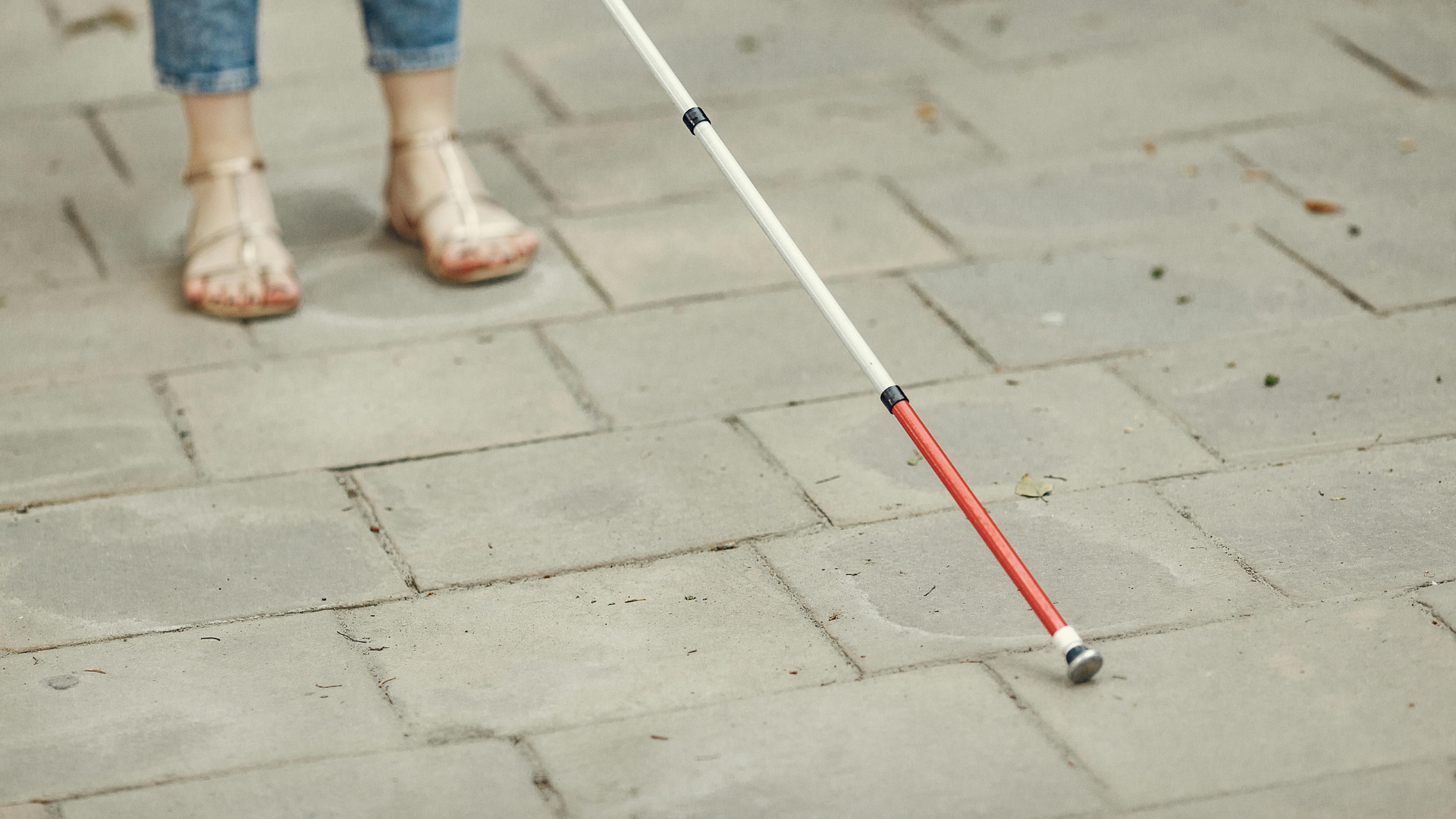
As a new school year begins, families are busy shopping for supplies, meeting teachers, and preparing children for the months ahead. For students who are blind or visually impaired, back-to-school planning often involves a few additional steps to ensure they have the tools, accommodations, and support they need to succeed. The good news is that with the right preparation, students with vision loss can thrive in the classroom, participate fully in school activities, and build the confidence they need for lifelong success. Whether your child is starting kindergarten, entering middle school, or preparing for high school, here are several resources and strategies to help make the transition back to school as smooth as possible. Start Planning Early Preparation doesn't begin on the first day of school. Ideally, families should begin planning several weeks before classes start. Consider scheduling time to: Meet with teachers and school staff Review your child's educational accommodations Practice transportation routes Test assistive technology Organize school supplies Discuss any changes in your child's vision or educational needs Starting early helps reduce stress and gives everyone time to address potential challenges before they become obstacles. Review Your IEP or 504 Plan Many students with vision loss receive accommodations through an Individualized Education Program (IEP) or a Section 504 Plan. Before school begins, review your child's plan to ensure it still reflects their current needs. Common accommodations may include: Large print materials Braille textbooks Digital learning materials Extended testing time Preferential classroom seating Screen reader compatibility Magnification software Orientation and Mobility services Assistive technology support If your child's needs have changed over the summer, don't hesitate to request a meeting with the school. Become Familiar with Assistive Technology Technology has dramatically expanded educational opportunities for students with vision loss. Depending on your child's needs, they may use: Screen readers Refreshable braille displays Electronic magnifiers Video magnifiers (CCTVs) Tablets with accessibility features Accessible laptops Speech-to-text software Optical character recognition (OCR) apps Audio books Accessible calculators Before school starts, make sure devices are updated, charged, and working properly. Students should also feel comfortable using their technology independently before returning to class. Practice Orientation and Mobility Skills Knowing how to safely navigate the school environment is just as important as academic preparation. Orientation and Mobility (O&M) instruction helps students learn to: Travel safely through hallways Locate classrooms Navigate cafeterias Use stairways and elevators Find restrooms independently Identify landmarks throughout campus If your child is attending a new school, practicing the layout before classes begin can make the first week much less overwhelming. Build Strong Communication with Teachers Teachers want their students to succeed, but many may have limited experience working with students who are blind or visually impaired. Open communication can make a significant difference. Consider discussing: Your child's preferred learning methods How they access classroom materials Assistive technology they use Classroom seating preferences Any safety considerations Best ways to communicate concerns Working together creates a stronger support system throughout the school year. Encourage Independence It can be tempting for parents to step in whenever challenges arise, but fostering independence helps students build confidence and prepares them for future success. Encourage your child to: Organize their backpack Keep track of assignments Use their assistive technology Communicate with teachers Ask for assistance when needed Participate in extracurricular activities Small daily responsibilities help develop valuable life skills that extend far beyond the classroom. Make Reading Accessible Access to books and educational materials is essential for academic success. Depending on your child's needs, accessible reading options may include: Braille books Large print books Audio books Digital textbooks Accessible eBooks Screen reader-compatible materials Many schools work with specialized providers to ensure students receive accessible educational materials as quickly as possible. Prepare for Digital Learning Today's classrooms rely heavily on technology. Students may regularly use: Learning management systems Online assignments Educational apps Virtual classrooms Digital textbooks Parents can help by becoming familiar with the accessibility features available on the platforms their child uses. Testing these systems before school starts can help prevent frustration later. Encourage Social Connections School isn't just about academics. Friendships, clubs, sports, music, and extracurricular activities all contribute to a student's growth and confidence. Encourage your child to: Join clubs that match their interests Attend school events Participate in adapted sports when available Build friendships with classmates Practice self-advocacy Inclusive experiences help students feel connected to their school community. Take Advantage of Community Resources Many organizations provide additional educational support beyond the classroom. These services may include: Assistive technology training Orientation and Mobility instruction Independent living skills Career exploration Transition planning Social and recreational programs Parent education Support groups Working with community organizations can provide valuable resources that complement school-based services. Prepare Emotionally A new school year often brings excitement, but it can also bring anxiety. Talk openly with your child about: What they're looking forward to Any worries they have New teachers New classmates New routines Listening to their concerns and practicing new situations together can help build confidence before the first day. How the Lighthouse Can Help At the Lighthouse for the Blind of the Palm Beaches, Treasure Coast & Okeechobee , we believe every student deserves the opportunity to succeed both inside and outside the classroom. Our programs support children , teens , and families through services designed to build independence, confidence, and lifelong skills. From assistive technology instruction and Orientation and Mobility training to educational support and transition programs, we're here to help students prepare for success at every stage of their educational journey. As another school year begins, remember that preparation, communication, and the right resources can make all the difference. With a strong support system and the right tools, students with vision loss can achieve their goals, develop new skills, and approach the school year with confidence. If your family would like to learn more about the services available through the Lighthouse for the Blind of the Palm Beaches, Treasure Coast & Okeechobee, contact us today. Together, we can help every student build a brighter future.

Hurricane season is a reality for everyone living in Florida, but for individuals who are blind or visually impaired, preparing for severe weather often requires additional planning. Power outages, changing environments, transportation disruptions, and emergency alerts can all present unique challenges during a storm. The good news is that taking a few proactive steps before hurricane season begins can help you stay safe, maintain your independence, and reduce stress when a storm is approaching. Here are some important accessibility considerations to include in your hurricane preparedness plan. Build an Accessible Emergency Kit Every household should have an emergency supply kit, but it's important to organize yours in a way that is easy to access without relying on sight. Your kit should include: At least seven days of medications Bottled water (one gallon per person, per day) Nonperishable food Flashlights with extra batteries Portable phone chargers or power banks First aid supplies Personal hygiene items Cash in small bills Important phone numbers written in large print, braille, or stored digitally Store frequently used items in consistent locations and consider using tactile labels or braille labels to identify medications and supplies quickly. Keep Your Technology Charged Many individuals who are blind or visually impaired rely heavily on smartphones and assistive technology for communication, navigation, and accessing information. Before a storm: Fully charge all devices. Charge portable battery packs. Keep charging cables together in one location. Test backup batteries for braille displays or other assistive devices. Download maps and important documents for offline access. If you use electronic magnifiers, video magnifiers, or other powered equipment, consider how you'll access them if electricity is unavailable for several days. Stay Connected to Emergency Alerts Receiving timely weather updates is critical. Sign up for local emergency alerts through your county's emergency management office and make sure your phone is configured to receive Wireless Emergency Alerts (WEA). Many smartphones also include built-in accessibility features that allow emergency notifications to be read aloud through VoiceOver (iPhone) or TalkBack (Android). A NOAA Weather Radio with voice alerts can provide additional information if internet or cellular service becomes unreliable. Plan Your Evacuation Route If evacuation becomes necessary, knowing your plan ahead of time can save valuable time. Ask yourself: Do I know my evacuation zone? How will I get there? Who can assist me if transportation is needed? Do I know the location of accessible shelters? If you use public transportation or paratransit services, learn how those services operate during hurricane evacuations and register in advance if required. Share your evacuation plan with family members, neighbors, or trusted friends so everyone understands where you'll be going. Prepare for Power Outages Power outages often last longer than the storm itself. Consider how you'll manage if electricity is unavailable for several days. Think about: Refrigerated medications Charging accessible devices Lighting inside your home Cooking meals safely Accessing emergency information Battery-operated lanterns often provide safer, longer-lasting light than candles. Voice-controlled smart speakers may also become unavailable during internet outages, so have backup communication methods ready. Protect Important Documents Store essential documents in waterproof containers or resealable plastic bags. Important items may include: Identification Insurance information Medical records Emergency contact lists Prescription information Social Security or disability documentation Digital copies stored securely in cloud storage can provide an additional backup if physical documents are damaged. Don't Forget Your Mobility Equipment If you use a white cane, guide dog, or other mobility aids, include them in your emergency planning. For white cane users: Carry an extra cane tip. Keep a backup cane if available. Inspect your cane before hurricane season begins. For guide dog handlers: Pack several days of food and water. Bring medications and veterinary records. Include waste bags and familiar comfort items. Ensure identification tags are current. Many emergency shelters welcome service animals, but bringing documentation can help make the process smoother. Register for Special Needs Assistance Many Florida counties offer Special Needs Registries for residents who may need assistance during emergencies. Depending on your circumstances, registration may help emergency officials identify transportation needs or provide additional support during evacuations. Contact your local emergency management agency before hurricane season begins to learn what services are available in your area. Stay Connected with Your Support Network Even if you live independently, it's important to have people who know your emergency plan. Choose at least two trusted contacts who can: Check in before and after storms Help with evacuation if necessary Provide updates if communication is limited Assist with supplies if needed Likewise, let them know how best to reach you if cell service becomes unreliable. Practice Your Plan Emergency preparedness works best when you've practiced it before you need it. Take time to: Locate emergency supplies. Review evacuation routes. Test accessible apps and emergency alerts. Confirm important phone numbers. Practice packing your emergency bag. The more familiar your plan becomes, the easier it will be to respond calmly during an actual emergency. Lighthouse Is Here to Help At the Lighthouse for the Blind of the Palm Beaches, Treasure Coast & Okeechobee , we understand that emergency preparedness looks different for every individual. Through our Orientation & Mobility, Independent Living, and Assistive Technology programs , we help participants build practical skills that support confidence and independence year-round, including during hurricane season. If you or a loved one would like assistance learning accessible technology, developing independent living skills, or preparing for emergencies, we're here to help. With thoughtful planning and the right resources, you can face hurricane season with greater confidence and peace of mind. Stay informed, stay prepared, and stay safe.

Artificial intelligence (AI) is changing the way people complete everyday tasks, communicate, and access information. For individuals who are blind or visually impaired, AI is becoming an increasingly valuable tool for building independence and confidence in daily life. From reading printed text aloud to identifying objects and describing surroundings , today's AI-powered technology is making activities that once required assistance more accessible than ever. While AI is not a replacement for orientation and mobility training, assistive technology instruction, or other rehabilitation services, it can be a powerful addition to the tools people already use. Here's a closer look at how AI is helping individuals with vision loss navigate the world. Reading Printed Text Instantly One of the most practical uses of AI is converting printed text into speech. Whether it's: Restaurant menus Mail Prescription labels School assignments Product packaging Receipts AI-powered apps can recognize text through a smartphone camera and read it aloud in seconds. Unlike older optical character recognition (OCR) technology, many AI systems can also understand formatting and context, making the reading experience smoother and easier to follow. This can make everyday tasks like sorting mail or reviewing important documents much more manageable. Understanding Your Surroundings Modern AI can do much more than simply identify text. Many apps now provide spoken descriptions of what's in front of the camera, including: People Furniture Buildings Vehicles Food Household objects Outdoor scenery For example, someone entering a hotel lobby can receive a description of where the reception desk is located, how many chairs are nearby, or whether there are stairs ahead. These descriptions provide valuable context that helps users better understand unfamiliar environments. Identifying Everyday Objects Finding the right can in the pantry or matching clothing used to require labels or assistance. Today, AI can recognize thousands of everyday items, including: Clothing colors and patterns Currency Household products Electronics Groceries Personal care items Some apps can even distinguish between similar products, helping users identify the correct medication bottle or pantry item. This makes daily routines faster and supports greater independence at home. Navigation and Wayfinding Getting from one place to another is becoming easier with AI-enhanced navigation. While GPS has been available for years, newer AI-powered navigation tools provide additional information such as: Nearby businesses Street crossings Building entrances Public transportation stops Indoor navigation in some locations Some applications combine GPS with computer vision, allowing a smartphone camera to recognize landmarks and provide more accurate guidance. These tools work especially well when combined with Orientation and Mobility (O&M) skills learned through professional training. Shopping with Greater Confidence Shopping independently is another area where AI is making a difference. AI-powered apps can help users: Read product labels Compare prices Identify food items Locate products in some stores Read expiration dates Scan barcodes Some retailers are also beginning to introduce AI-supported accessibility features that improve the shopping experience for customers with disabilities. Describing Photos and Images Social media has become far more accessible thanks to AI image descriptions. Many platforms now automatically generate descriptions of uploaded photos, allowing screen readers to explain what's in an image. Dedicated AI apps can also answer questions such as: "What color is this shirt?" "How many people are in this photo?" "Is this person smiling?" "What's happening in this picture?" These tools make sharing and enjoying photos much more accessible. AI-Powered Personal Assistants Virtual assistants like Siri, Google Assistant, Alexa, and ChatGPT are becoming increasingly useful for individuals with vision loss. They can assist with: Setting reminders Sending text messages Making phone calls Creating grocery lists Looking up information Answering questions Managing calendars Controlling smart home devices Because these assistants rely primarily on voice interaction, they offer a natural way to complete many daily tasks without needing to navigate a screen. Real-Time Assistance Some AI services combine artificial intelligence with human support. When AI isn't confident about what it's seeing, certain apps can connect users with trained volunteers or professional agents who provide live visual assistance through a smartphone camera. This combination of AI and human support can be especially helpful for: Reading handwritten notes Navigating unfamiliar spaces Completing forms Troubleshooting unexpected situations It gives users another option when technology alone isn't enough. AI Is Helpful, But It Isn't Perfect As impressive as AI has become, it still has limitations. AI may occasionally: Misidentify objects Misread text Struggle in poor lighting Become confused by cluttered environments Provide incomplete information For this reason, AI should be viewed as one tool among many rather than a complete replacement for established accessibility skills. Training, experience, and good judgment remain essential for safe travel and independent living. Why Training Still Matters Owning the latest technology is only part of the equation. Knowing how to use it effectively makes all the difference. Assistive technology specialists can help individuals learn: Which apps best fit their needs Screen reader techniques Smartphone accessibility settings AI features that improve daily living How to combine multiple accessibility tools efficiently Likewise, Orientation and Mobility instructors teach safe travel skills that remain important regardless of technological advances. When paired together, professional training and AI create a stronger foundation for independence. Looking Ahead Artificial intelligence continues to evolve rapidly, with new accessibility features being introduced every year. Future innovations may include: More accurate indoor navigation Smarter wearable devices Better real-time object recognition Enhanced transportation assistance More personalized AI assistants Improved workplace accessibility These developments have the potential to remove even more barriers and create new opportunities for education, employment, recreation, and community involvement. Lighthouse Can Help You Get Started At the Lighthouse for the Blind of the Palm Beaches, Treasure Coast & Okeechobee , we believe technology should empower people, not intimidate them. Our Assistive Technology services help children, teens, adults, and seniors learn how to use accessible devices and applications that support greater independence in everyday life. Whether you're learning to use a screen reader, exploring AI-powered tools, or becoming more confident with your smartphone, our team is here to help. Technology is changing quickly, but with the right guidance and training, it can become a powerful partner in living independently. If you or someone you know would like to learn more about assistive technology services, c ontact the Lighthouse for the Blind of the Palm Beaches, Treasure Coast & Okeechobee today . Together, we can help you build the skills and confidence to navigate the world with greater independence.
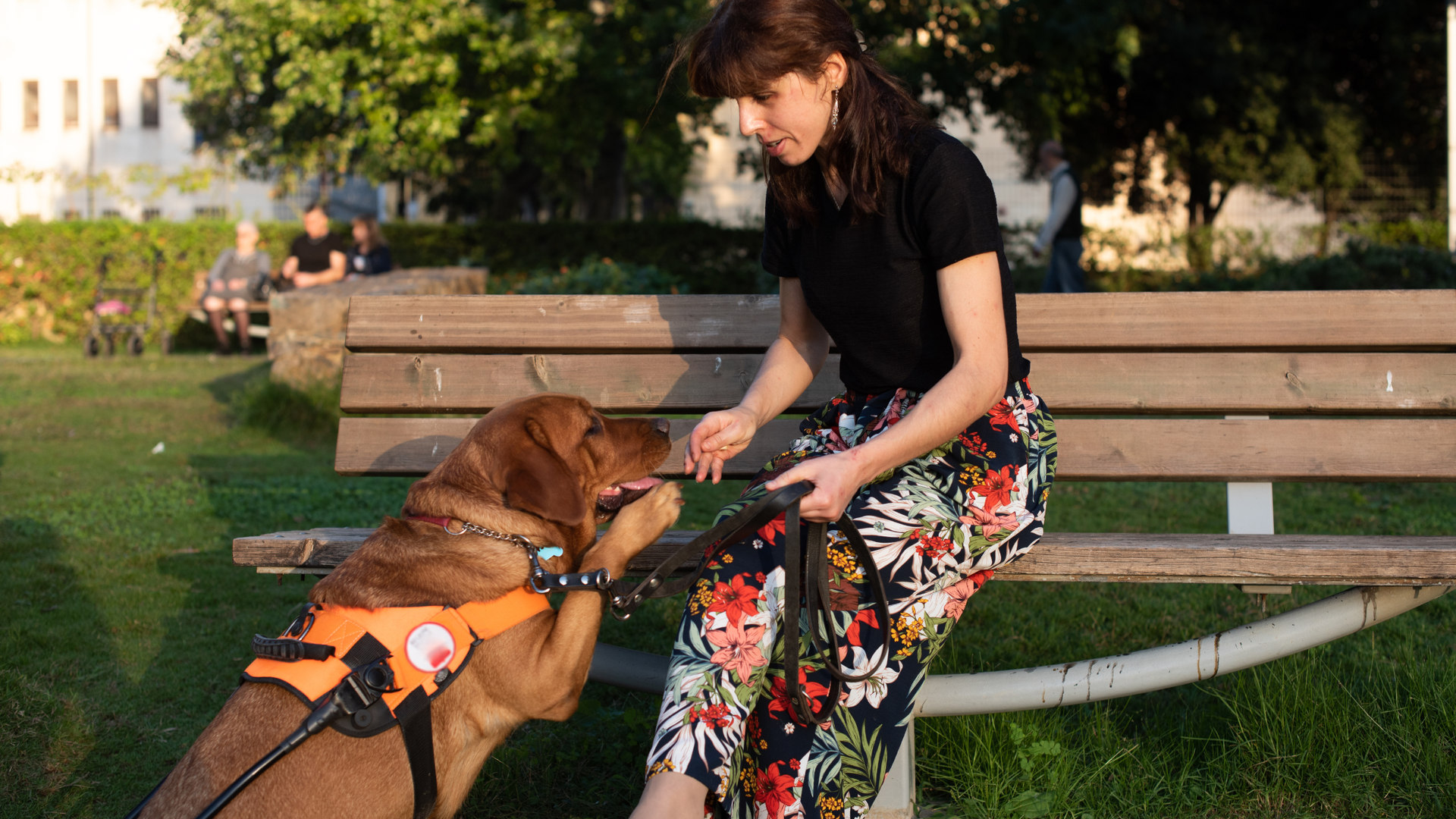
Summer in Florida brings longer days, outdoor activities, and opportunities to connect with family and friends. For individuals with vision impairments, however, the season can also present unique challenges. From navigating unfamiliar outdoor spaces to staying safe in extreme heat, a little preparation can help you enjoy summer with greater confidence and independence. Beat the Heat: Staying Safe in Florida's Summer Weather Heat exhaustion and heatstroke can affect anyone, but individuals with vision impairments may face additional challenges when navigating outdoor environments or identifying opportunities to cool down. Pay attention to warning signs such as: Excessive sweating, weakness, or dizziness Headache, nausea, or muscle cramps Skin that feels unusually hot and dry (which may signal heatstroke and requires immediate attention) Practical tips: Set reminders on your phone or smart device to drink water regularly, at least 8 ounces every 30–60 minutes in high heat. Carry a small personal fan or cooling towel in your bag. Plan outdoor activities for early morning or evening when temperatures are lower. Familiarize yourself with the cool spots in your neighborhood. Libraries, community centers and malls make great air-conditioned refuges. Sun Protection Without Sight: Sunscreen and UV Safety You don't need to see the sun to feel its effects. UV rays are just as damaging on cloudy days, and people who are blind or have low vision can experience painful sunburns simply by losing track of how long they've been outside. Tips for effective sun protection: Use a broad-spectrum SPF 30 or higher sunscreen. Choose a spray or stick formulation that's easier to apply evenly by touch. Wear a wide-brimmed hat and UV-protective clothing as a reliable, "set it and forget it" layer of defense. Protect your eyes. Even with a vision impairment, UV exposure can worsen certain eye conditions. Wear sunglasses with UV400 protection or ask your eye care provider about the best options for your situation. Navigating Outdoors Safely Summertime means more activity in public spaces and more obstacles. Construction zones, outdoor furniture, pop-up vendors, and children playing can all create unexpected hazards. White cane users: Be aware that heat shimmer off pavement can interfere with visual contrast for individuals with low vision. Tap ahead more deliberately in unfamiliar outdoor settings where terrain may be uneven. Watch for garden hoses, lawn decorations, and sprinkler heads that may not have been there on your last visit. For guide dog users: Heat is especially dangerous for dogs. Pavement above 77°F can burn paw pads. If it's too hot for your bare hand, it's too hot for your dog's feet. Carry extra water for your guide dog and offer frequent water breaks, and avoid peak heat hours. Watch for signs of heat stress in your dog: excessive panting, drooling, lethargy, or reluctance to walk. General outdoor navigation: Share your planned route with a trusted contact before heading out alone. Use GPS navigation apps with audio guidance (like Google Maps, Apple Maps, or BlindSquare) to stay oriented. If attending outdoor events, call ahead to ask about accessible routes, drop-off areas, and any temporary layout changes. Water Safety Pools, lakes, and splash pads are wonderful summer destinations and with a few precautions, they can be enjoyed safely and confidently. Always orient yourself to the pool's layout before entering, including the location of steps, the deep end, and any slopes. Ask a lifeguard or companion to describe the area on arrival and identify any new obstacles. Use brightly colored or textured pool accessories that can be identified by touch. Never swim alone. Let a lifeguard know you have a vision impairment so they can keep an eye out and assist if needed. At natural bodies of water (lakes, rivers), currents and depth changes can't be anticipated the same way as in a pool. Exercise extra caution and always go with a trusted companion. Staying Hydrated and Eating Well Outdoor summer gatherings often mean buffet-style meals, picnics, or food served in unfamiliar settings. Here are some tips for navigating food safely: Use the "clock method" to orient your plate: ask someone to describe food positions using clock face references (e.g., "chicken at 3 o'clock, salad at 9 o'clock"). Keep food safety in mind. In summer heat, perishable items should not sit out for more than one hour in temperatures above 90°F (two hours below 90°F). Carry snacks you're familiar with to supplement meals when the layout of a spread is hard to navigate independently. Don't forget to carry a reusable water bottle and refill it often, especially during outdoor events and travel. Traveling This Summer? Whether you're taking a road trip, flying to visit family, or exploring a new city, plan ahead whenever possible. Contact hotels, attractions, and transportation providers in advance to ask about accessibility accommodations.Saving important addresses, reservations, and directions in an accessible app before you leave can help reduce stress and make travel more enjoyable. Emergency Preparedness Summer storms and power outages are more common in warmer months. Having a plan in place gives you confidence no matter what the season throws your way. Keep a "go bag" stocked with essentials: medications, a charged portable battery, tactile or audio-accessible emergency radio, important documents in braille or digital format, and extra cane tips. Know your local emergency alert system and make sure you receive alerts via audio or text rather than solely visual formats. Identify two trusted neighbors who know about your vision impairment and can check in during emergencies. Review Florida's accessible emergency services resources through your county's Emergency Management Agency. Resources from Your Lighthouse Summer activities often bring new environments and situations, making it a great time to strengthen skills and learn new strategies for independent living. At the Lighthouse for the Blind of the Palm Beaches, Treasure Coast & Okeechobee, we're here to support you every season of the year. If you'd like help with any of the following, reach out to our team: Assistive technology training : including weather and GPS apps optimized for screen readers Orientation and mobility services : building confidence navigating new summer environments Guide dog program support and resources Independent living skills training : including home safety and food preparation Contact us: Visit LHPB.org or call our office to speak with a specialist.

What if your next lunch break came with a side of life-changing health advice? This summer, the Lighthouse for the Blind of the Palm Beaches, Treasure Coast & Okeechobee is hosting a free, three-part Lunch & Learn Series dedicated to something most of us take for granted — our vision. Whether you're managing an existing eye condition, noticing changes in your eyesight, or simply want to be more proactive about your health, this series was made for you. And yes, lunch is included. What Is the Lunch & Learn Series? The Summer Lunch & Learn Series brings together community members, caregivers, and eye health advocates for three interactive sessions, each focused on a different aspect of vision wellness. Each event runs from 11:00 AM to 1:00 PM and is held at Mittleman Eye — giving you direct access to one of the region's premier eye care environments. Every session is designed to be approachable and practical. No medical jargon. No sales pitch. Just real information you can apply to your everyday life, delivered by experts who care about your sight as much as you do. The Sessions June 3 — Eat Your Way to Better Eye Health You've heard that carrots are good for your eyes — but how much do you really know about the connection between what you eat and how well you see? This first session dives into the foods, nutrients, and dietary habits that science has linked to better eye health. From leafy greens rich in lutein to omega-3 fatty acids that support the retina, you'll leave with a clear picture of what to put on your plate — and why it matters for your vision long-term. Great for: Anyone looking to take a proactive, nutrition-based approach to protecting their eyesight. July 1 — Lifestyle Habits That Protect Your Vision Your daily routines — sleep, screen time, sun exposure, exercise — all have a measurable impact on your eye health. But most people don't know where to start. This session explores the lifestyle factors that either safeguard or strain your vision over time. You'll walk away with practical, sustainable habits you can start building right away, whether you're 35 or 75. Great for: People who want to understand how their lifestyle choices affect their long-term vision health. August 5 — When Vision Changes: What Are Your Options? Noticing that your vision isn't what it used to be can feel frightening. But it doesn't have to. This final session takes an honest, compassionate look at what happens when vision changes — and what your options are. From early intervention strategies to the wide range of assistive tools and support services available, this session is about empowerment, not alarm. Great for: Adults experiencing vision changes, family members, and caregivers who want to understand what comes next. Where to Go All three sessions are held at Mittleman Eye , located in the Palm Beaches area. Sessions take place on the 5th floor — when you arrive, check in at the 1st floor reception before heading up. Staff will be there to welcome you. Who Should Attend? This series is open to everyone in the community. You don't need to be a current Lighthouse client or have a diagnosed vision condition to attend. These events are for: Adults who want to be proactive about their eye health Seniors experiencing age-related vision changes Caregivers supporting a loved one with low vision or vision loss Anyone curious about how lifestyle and nutrition affect long-term sight Why the Lighthouse? The Lighthouse for the Blind of the Palm Beaches, Treasure Coast & Okeechobee has been a trusted resource for people living with vision loss and visual impairment across South Florida for decades. Through education, advocacy, and direct services, the Lighthouse empowers individuals to live independently and fully — and that mission starts with community events exactly like this one. Reserve Your Spot Space at each session is limited, so we encourage you to sign up in advance. You can attend one session, two, or all three — each stands on its own. Register now and secure your seat for the session (or sessions) that speak to you most. Lunch is provided, and there's no cost to attend. We'll see you there. The Lighthouse for the Blind of the Palm Beaches, Treasure Coast & Okeechobee · Hosted at Mittleman Eye · 11:00 AM – 1:00 PM

Last Thursday, May 21, marked the 15th annual Global Accessibility Awareness Day — a worldwide moment to get people talking, thinking, and learning about digital inclusion. At Lighthouse for the Blind of the Palm Beaches, Treasure Coast & Okeechobee, we marked the occasion with an executive strategic briefing: Where Access Changes. The conversation brought together leaders who don't just talk about accessibility — they build it, fight for it, and live it. The Panel Lisa Stella , our Executive Director, who has spent her career advancing independence for people who are blind or visually impaired Emi Hutton , Digital Accessibility Subject Matter Expert and a member of our Board of Directors Christopher Bylone , Belonging Practitioner and Founder of Innovation Unbiased Alex Oliveira , Founder and CEO of Prediq , who hosted the discussion Together, they tackled something uncomfortable but necessary: why, fifteen years into GAAD, the digital world still leaves so many people behind. Five Things That Stuck With Us 1. The scale of the problem is bigger than most leaders realize. 1 billion people worldwide live with a disability. That's roughly one in six of us. And according to the WebAIM Million Report, 98.1% of the world's top one million home pages have at least one accessibility failure — with an average of nearly 61 errors per page. This isn't a niche concern. It's a default condition of today's web. 2. The clock is ticking on compliance. The Department of Justice's Final Rule takes effect on April 26, 2027, requiring WCAG 2.1 AA compliance across digital properties. As the panel pointed out, reactive fixes cost roughly 10 times more than proactive design. Organizations waiting for the deadline are setting themselves up for both higher costs and higher legal exposure. 3. Accessibility is a market opportunity, not just a risk. People with disabilities control an estimated $1.9 trillion in annual disposable income globally (Return on Disability Group, 2025). When you design for accessibility, you're not just avoiding lawsuits — you're opening your product to a massive and historically underserved market. 4. The curb-cut effect is real. Curb cuts were built for wheelchair users. They ended up helping parents with strollers, travelers with rolling luggage, and delivery workers with carts. Digital accessibility works the same way. Captions help people in noisy environments. High-contrast design helps anyone reading on a phone in sunlight. Voice navigation helps hands-free mobile users. Designing for the margins improves the experience for everyone. 5. Lived experience belongs in the room. One of the panel's strongest themes: you cannot design accessible products without people with disabilities at the table — not as test subjects, but as colleagues, designers, and decision-makers. Authentic feedback from people who navigate digital barriers every day is the single best defense against both poor design and litigation. Why This Matters Here Since 1946, Lighthouse for the Blind has helped people who are blind or visually impaired reach their highest level of independence. For 80 years, that mission has evolved alongside the world it serves — from teaching daily living skills to advocating for the digital environments where so much of modern life now happens. Accessibility isn't a checkbox. It's a culture. And cultures don't change in a single day — not even on GAAD. Watch the Webinar

Wednesday, May 20, 2026 | 12:00 PM Noon | Free Virtual Webinar Presented by Lighthouse for the Blind of the Palm Beaches Global Accessibility Awareness Day falls on May 21st this year, and we are kicking off the conversation a day early with a webinar built for leaders who are ready to stop checking boxes and start building strategy. On May 20th at noon, join Lighthouse for the Blind of the Palm Beaches for a free virtual Lunch and Learn: The Strategic Edge: Beyond Compliance . Presented in partnership with Innovation Unbiased, this session brings together thought leaders who are redefining what accessibility means for business, workforce, and community. What This Session Is About Most conversations about accessibility start with legal risk. This one starts with opportunity. The global disability market represents $13 trillion in spending power. ADA Title II and Title III updates are reshaping compliance expectations for private businesses, government agencies, and schools. And organizations that treat accessibility as a dynamic operational commitment rather than a one-time fix are pulling ahead in talent, reputation, and market reach. This webinar is designed to give C-Suite leaders, HR professionals, and community champions a practical blueprint for leading with inclusion. What You Will Walk Away With The session covers six executive pillars: The ADA Mandate Roadmap -- A practical breakdown of recent ADA updates and how to move your organization from "legal fear" to strategic readiness. The Talent Stack and Workforce Integration -- A look at how screen readers, AI-driven note-takers, and other professional tools enable high-performers with disabilities to exceed traditional productivity benchmarks. The "Curb-Cut" Market Multiplier -- How designing for disability creates better products for everyone, and how to capture both the disability market and the growing "Silver Economy." The Lifecycle of Progress -- Why accessibility requires ongoing operational commitment and what that looks like in practice. User-Led Accommodations -- How shifting HR protocols toward collaborative expertise, and partnering with the Division of Blind Services, produces better outcomes while reducing corporate spend. The Power of Community Engagement -- How the Lighthouse network can drive sponsorship, high-level volunteerism, employee engagement, and measurable ESG impact for your organization. Meet the Speakers

As digital spaces become central to how we work, shop, learn, and connect, website accessibility is no longer optional, it’s essential. In a recent webinar hosted by the Lighthouse for the Blind of the Palm Beaches, Treasure Coast & Okeechobee, a panel of accessibility experts came together to break down the latest updates to ADA web accessibility requirements and what they mean for organizations today. Featuring insights from Lisa Stella (Lighthouse), Alex Oliveira (Prediq), Sapir Yarden and Michael Hingson (accessiBe), and accessibility advocate Emi Hutton, the session provided a clear look at the current landscape, the risks of non-compliance, and practical steps forward. Why Website Accessibility Matters More Than Ever For individuals who are blind or visually impaired, an inaccessible website can create real barriers, preventing access to basic information, services, and opportunities. Accessibility is not just about compliance; it’s about inclusion. Organizations of all types, businesses, nonprofits, schools, and government entities, are increasingly expected to ensure their websites can be used by everyone, including those who rely on assistive technologies like screen readers or voice navigation.
